A biography portrait is an identity claim. Readers use it to connect a name with a face, while the subject expects to recognize the person they approved. An AI Photo Editor can help with a distracting background or uneven presentation, but a flattering result fails when it changes age cues, facial structure, skin marks, hair, clothing, or context that matters to identity.
The safest workflow uses an identity-feature lock. Before retouching, the subject and editor agree on what may change, what must remain, and what would make the portrait feel like someone else. That turns taste into a bounded approval decision.

Name The Job Of The Portrait
A speaker page, company profile, author bio, memorial, alumni note, and recruitment feature do not make the same promise. A speaker portrait may need consistency across an event grid. A memorial image may need gentle cleanup of an older scan. A company profile should not invent a workplace or uniform that suggests credentials the person does not hold.
Choose A Recent Source With Permission
Use an image the subject owns or is allowed to provide. Confirm that it represents how the person wishes to appear now, unless the article clearly concerns an earlier period. A technically clean source lowers the pressure to reconstruct features and gives the reviewer a stable reference.
Write The Publication Context Beside It
Record where the portrait will appear, its crop, and the surrounding biography. A neutral crop for a small author card may need little editing. A large keynote banner exposes edge and skin changes that disappear in a thumbnail. The destination changes the inspection, not the person.
Build A Written Portrait Likeness Checklist
Make a short protected list with the subject: face shape, eye shape and spacing, nose, mouth, jaw, skin tone, visible marks, hairline, hairstyle, age cues, body proportions, assistive devices, cultural or religious clothing, and any feature the person names. The list is not a beauty standard. It is a boundary against silent substitution.
Prioritize features rather than treating the list as a request for maximum sharpness. Glasses may be essential to recognition while a temporary background shadow is not. A birthmark may matter to the subject even when an editor sees it as a blemish. Resolve that difference before writing a prompt.
Allow Presentation Changes Not Personal Revisions
A bounded edit might correct a mild color cast, remove a temporary background distraction, extend a neutral edge for the required crop, or balance exposure without reshaping the face. Requests to “look younger,” change body shape, alter ethnicity cues, invent formal clothing, or replace expression cross from presentation into identity revision.
PicEditor AI supports prompt-led edits, background changes, enhancement, and portrait retouching. State the target and the lock in the same instruction: “Replace the cluttered wall with a plain warm-gray background; keep the face, skin tone, hair, glasses, clothing, posture, expression, and crop unchanged.”
Generate one candidate first. Several style options turn the review into a beauty contest and make identity drift easier to ignore. If the bounded candidate fails, reduce the edit rather than adding more instructions about attractiveness.
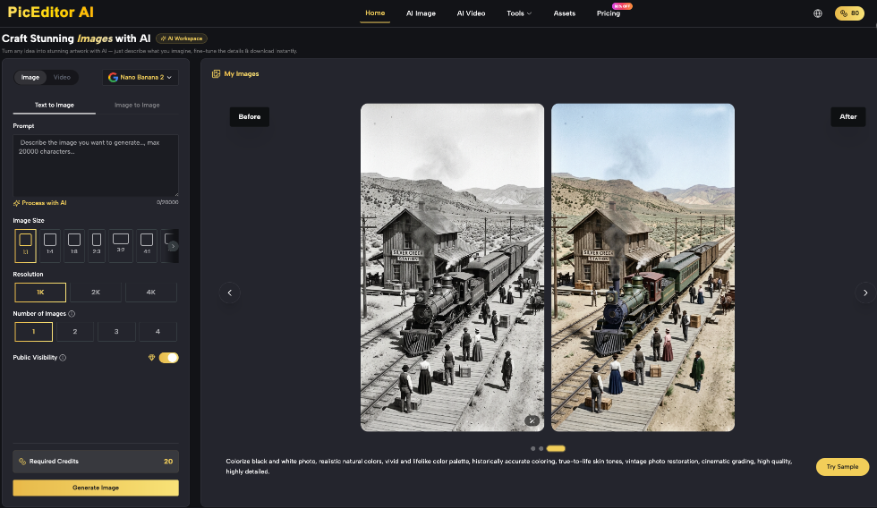
Compare Recognition Before Judging Visual Polish
Review likeness first, then presentation. A beautiful candidate that fails recognition does not advance to color, crop, or layout discussion.
Run A Five-Second Recognition Check
Show the source and candidate separately to someone who knows the subject and has not seen the edit process. Ask who the person is and what changed. Hesitation, a mistaken identity, or a comment that the subject looks like a relative rather than themselves is a rejection signal.
Inspect The Face At Normal Viewing Size
High zoom reveals artifacts, but normal size reveals character. Look for altered eye direction, an unfamiliar smile, smoothed age lines, changed tooth shape, missing freckles, new makeup, or hair that no longer follows the source. These changes may be small in pixels and large in meaning.
Check The Context For Implied Credentials
A generated office, clinic, laboratory, stage, uniform, badge, or branded backdrop can imply employment, qualification, or endorsement. Prefer a neutral background. If context is essential to the story, use a real authorized photograph from that setting.
| Check | Pass signal | Reject signal |
| Likeness | Immediate recognition | Hesitation or mistaken identity |
| Protected features | Match the source | Shape, tone, age, or marks shift |
| Context | Neutral or authentic | Invented credential or workplace |
| Final crop | Natural at publication size | Face distortion or lost assistive device |
The table keeps approval focused when several people review the portrait. Comments such as “more professional” are not decisions until the reviewer names which visible change creates that impression.
Compare the portrait inside the actual profile card. A square crop can remove a hearing aid, mobility aid, hairstyle, cultural garment, or gesture that is part of how the person presents themselves. Do not approve the full image and assume every automated crop preserves the same identity cues.
Put Consent At The Final Decision
Send the selected result to the subject with the intended crop and biography, not as an isolated full-size image. Ask for approval of both likeness and context. Keep the response, source, prompt, and output together. If the subject requests a change, return to the protected list rather than improvising a more flattering direction.
Editors using AI photo editing still need rights to upload and publish the source. PicEditor AI cannot supply consent, verify identity, or decide whether a background creates a misleading association. Those responsibilities remain with the publisher.
Consent should cover the final use, not merely the edited file. A subject may approve a small internal directory image and reject the same portrait on a paid campaign, conference banner, or article about a sensitive topic. Reconfirm when the destination materially changes.
Keep rejected candidates private and out of the general asset library. A draft the subject declined should not resurface because another editor sees a polished file without the approval history. Mark only the accepted portrait as available for the named use, and retain the approval date beside it. Remove obsolete approved crops when a replacement is issued.
Prefer No Edit When Recognition Is Uncertain
If the source is too damaged, compressed, or distant to preserve identity confidently, choose another authorized photograph. A biography page can tolerate an older or less polished image more easily than a portrait that no longer represents its subject.
Let The Subject Recognize The Result
PicEditor AI fits biography teams that have a good source and one presentation problem to solve. It is not a route for inventing credentials, recovering an unknown face, or standardizing everyone into the same polished look.
The final approval belongs to the recognizable person, not the smoothest output. Keep the protected features stable, make the smallest useful correction, and publish the version the subject can stand behind. When an editor and subject disagree, the subject’s identity concern outweighs the desire for a uniform profile grid.